How to Use Triggers to Engage Visitors
Triggers are proactive messages designed to engage your website visitors. They appear above your floating launcher icon on specific pages and after a set time delay. You can stack multiple triggers on a single page, and when a visitor clicks one, it will open the chat widget. Note: Triggers are available for Floating Widgets only.
1. Access Trigger Management
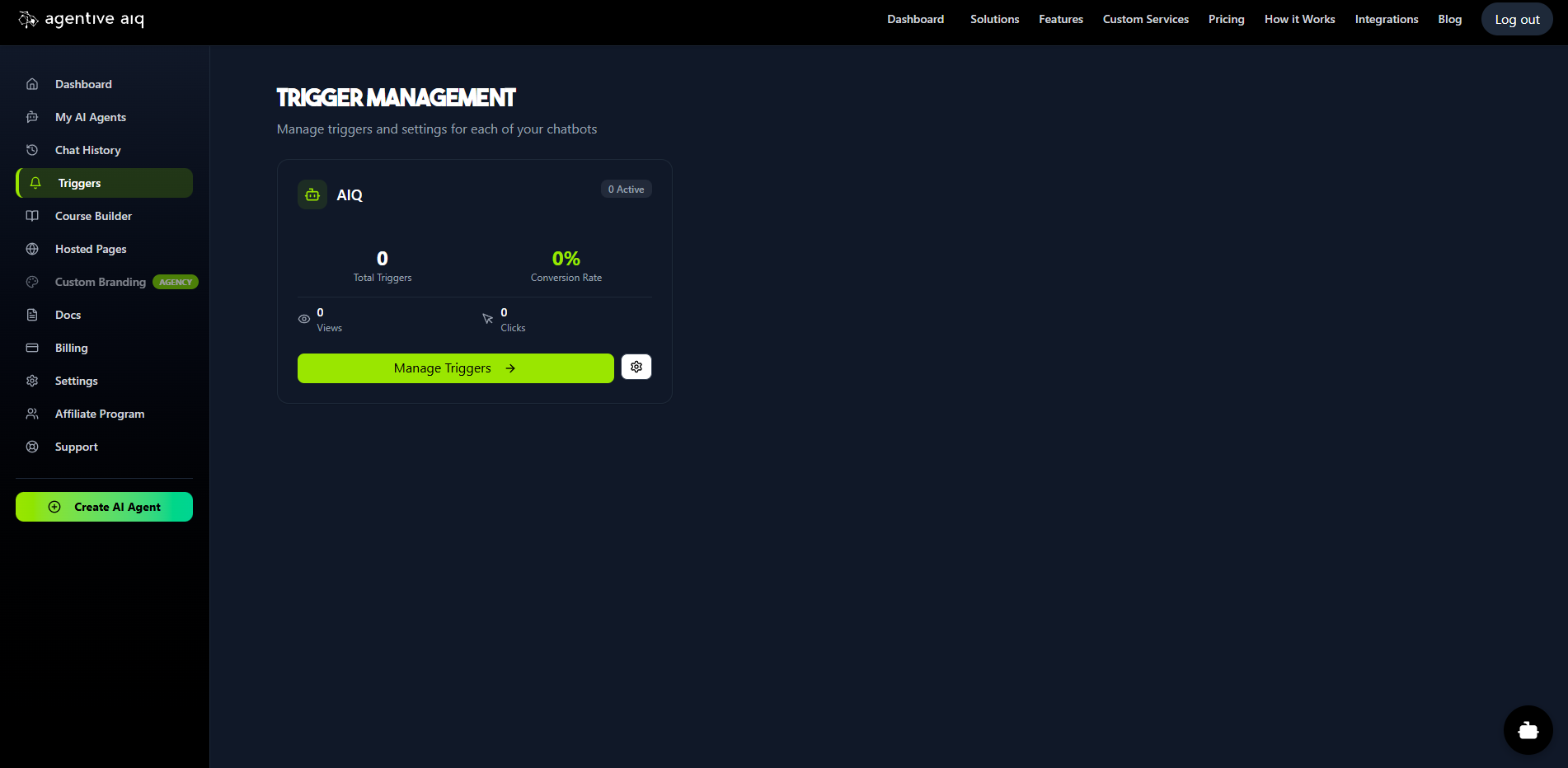
From the main dashboard, click Triggers in the left-hand navigation menu. This will take you to the Trigger Management page, which lists all of your floating widget agents. From here, you can see high-level stats for each agent's triggers.
2. Select Your Agent
Find the agent you want to manage and click the Manage Triggers button.
3. Create Your First Trigger
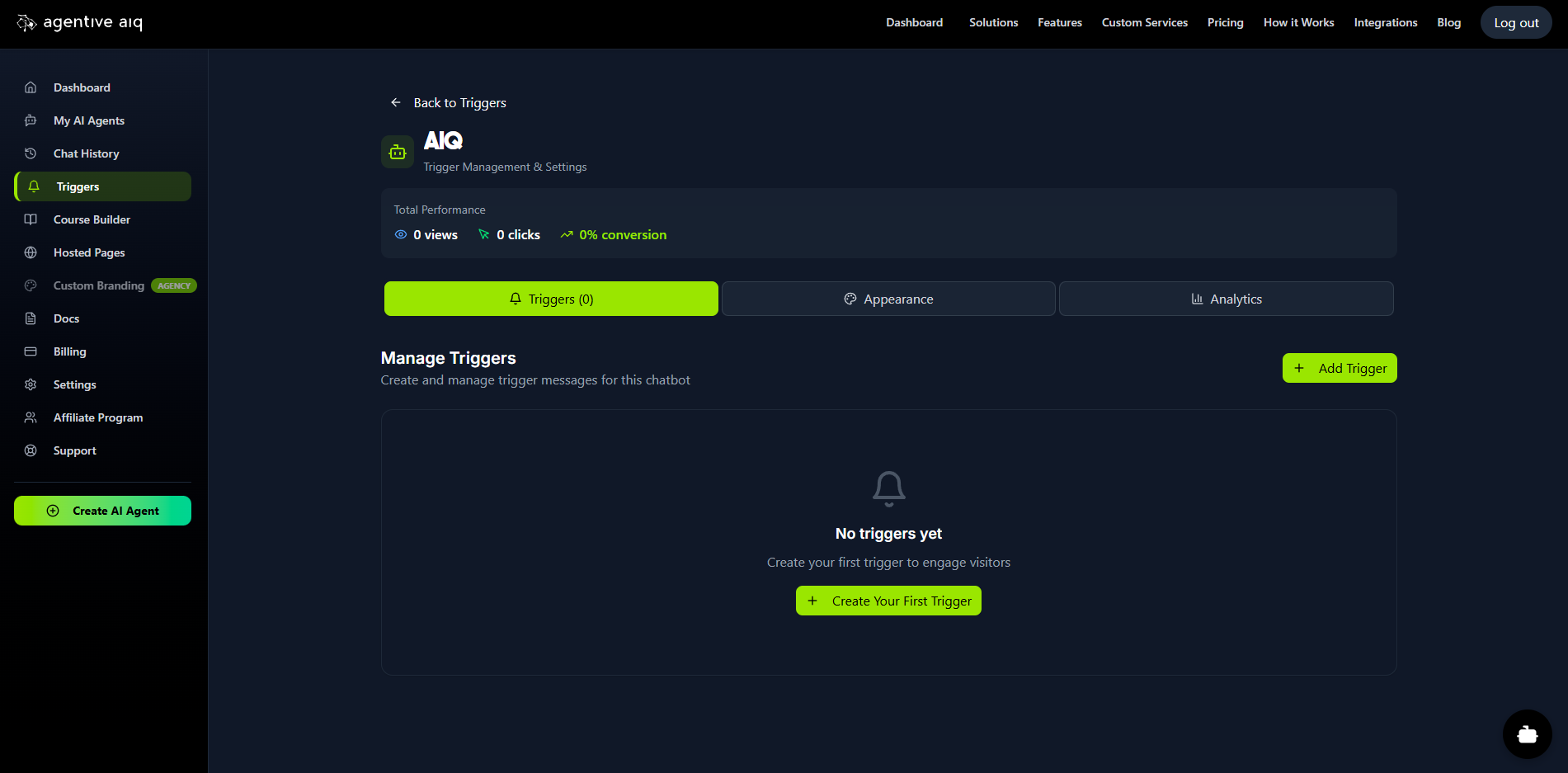
You are now in the management hub for that specific agent. This area has three tabs: Triggers, Appearance, and Analytics.
In the Triggers tab, click Add Trigger (or Create Your First Trigger) to open the configuration form.
4. Configure Your Trigger
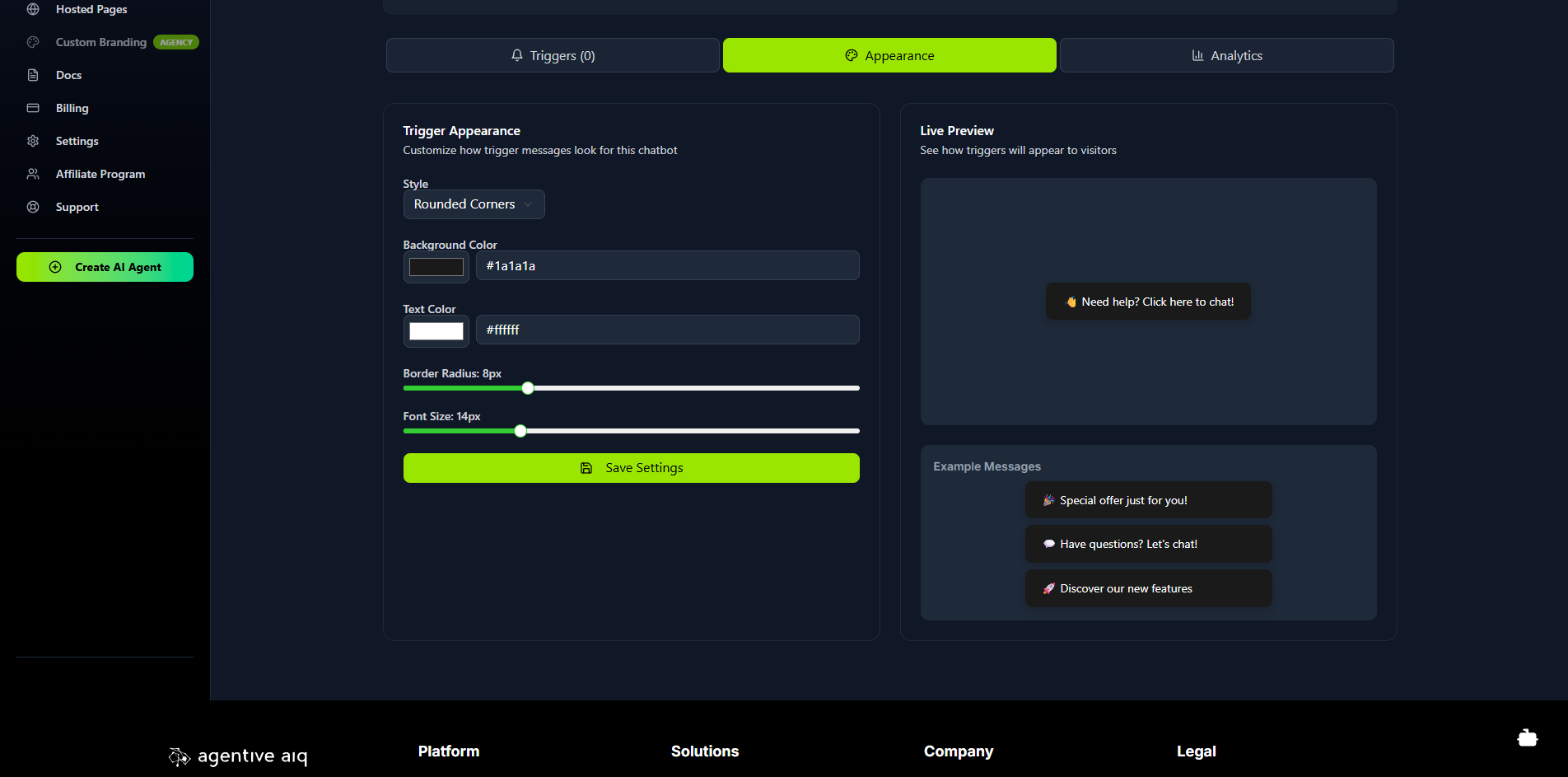
Set the rules for your new trigger:
Page URL Pattern: Define which page(s) this trigger will appear on. You can use an exact path (e.g.,
/checkout) or use wildcards to target entire sections (e.g.,/products/*).Delay (seconds): Set how long (in seconds) to wait after the page loads before showing this trigger.
Trigger Message: This is the text your visitor will see.
Active: Use this toggle to activate or deactivate the trigger.
Click Create Trigger to save it. You can repeat this process to stack multiple triggers on the same page by using different delay times.
5. Customize Trigger Appearance
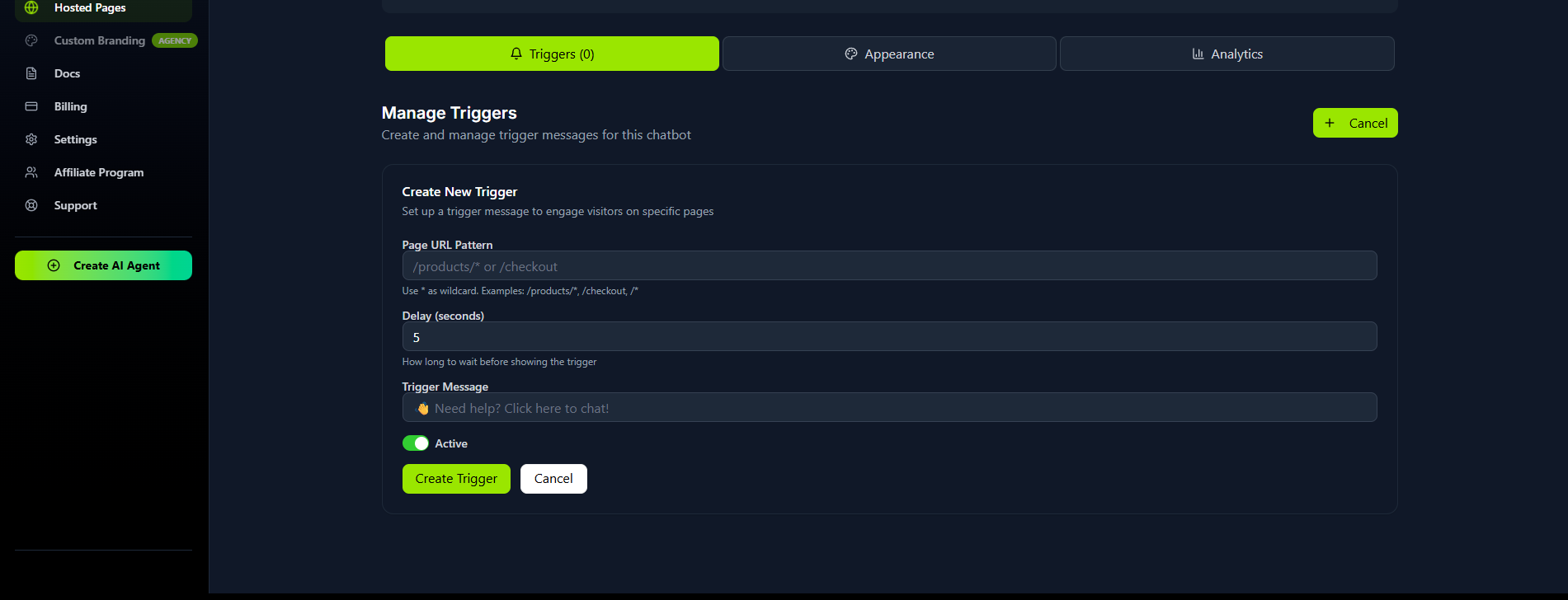
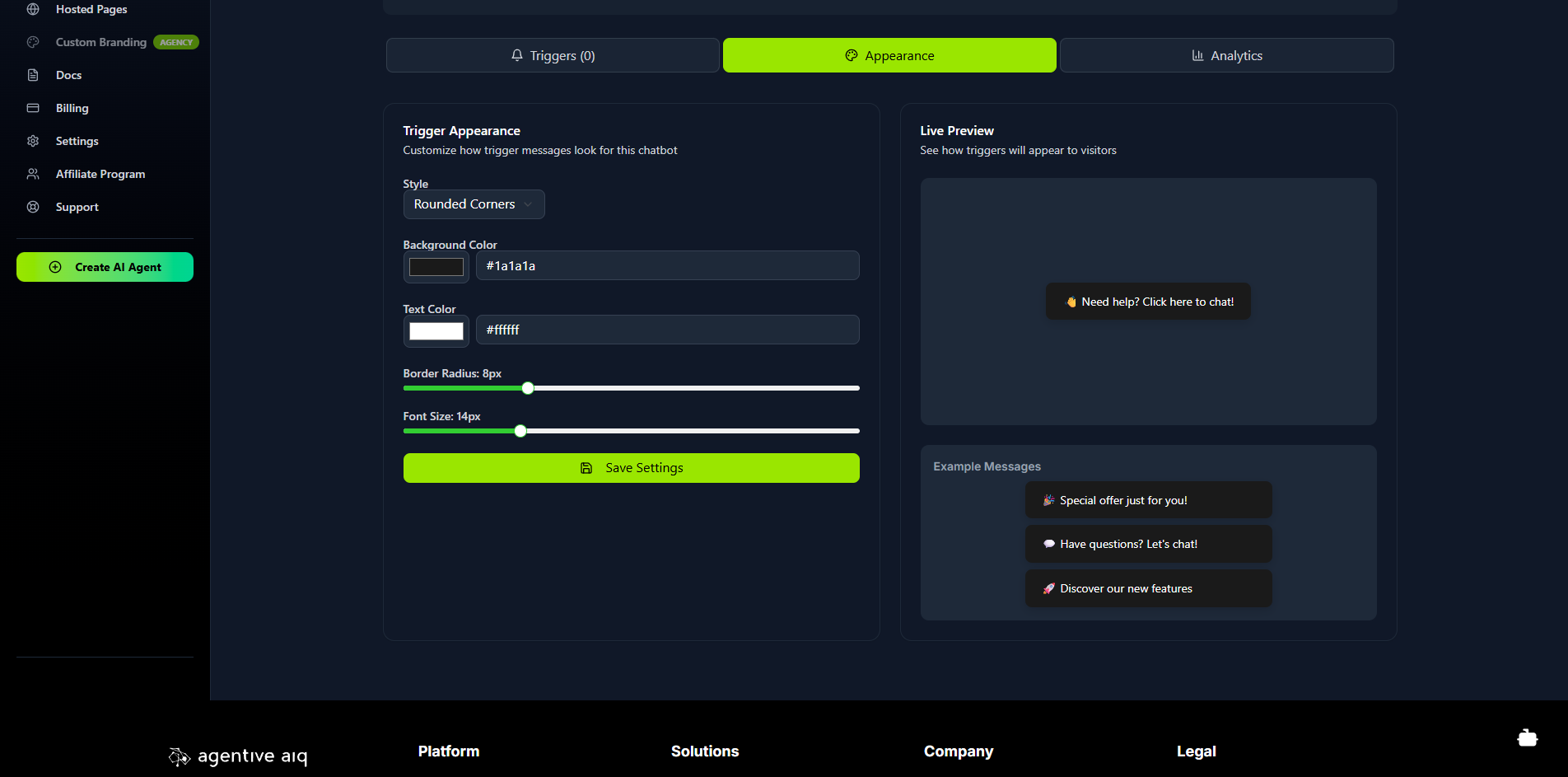
Click the Appearance tab to control the look and feel of all triggers for this agent. You can customize the style, background and text colors, border radius, and font size. The Live Preview pane on the right will show you exactly how your triggers will appear to visitors.
6. Track Your Analytics
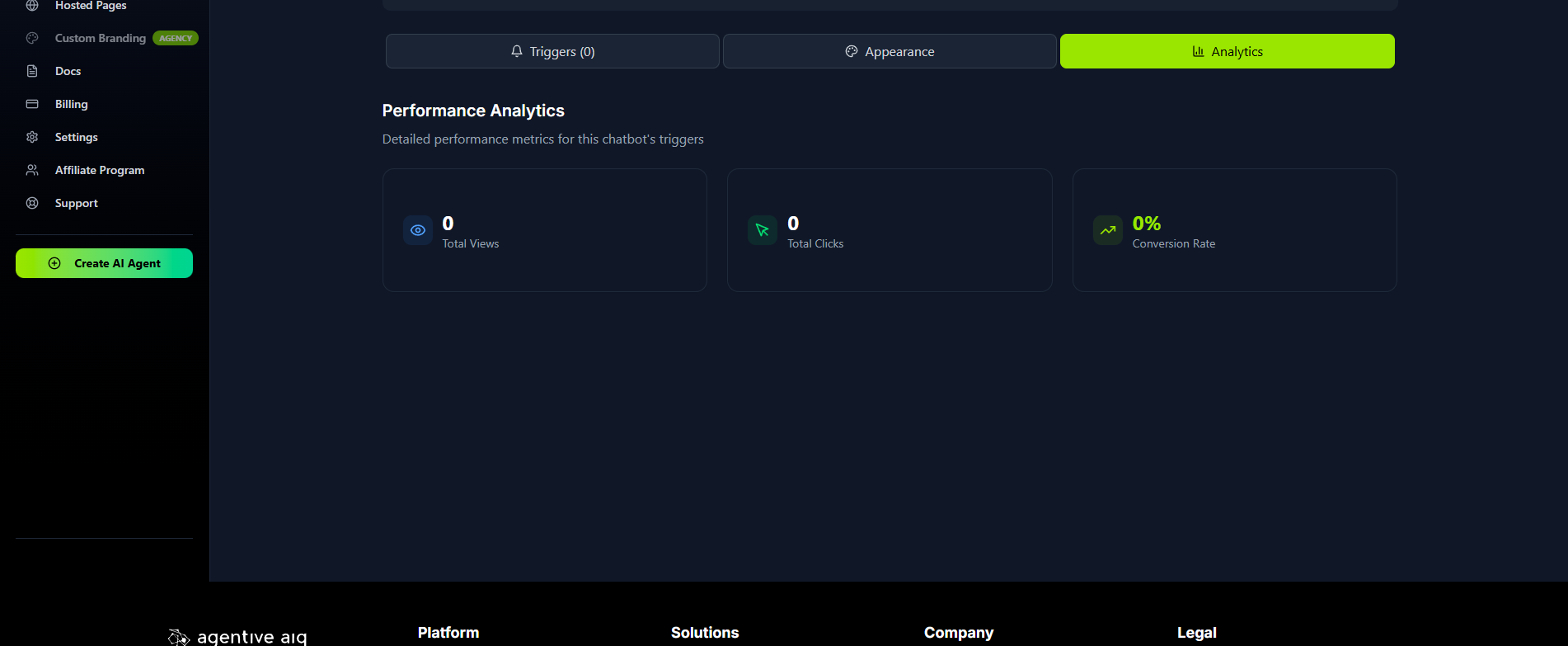
Once your triggers are live, click the Analytics tab to monitor their performance. This dashboard shows you the Total Views, Total Clicks, and Conversion Rate for your triggers, helping you understand how effectively you're engaging your audience.
Was this article helpful?
Related Articles
How to Create and Manage Hosted Pages
Hosted Pages are secure, brandable, standalone web pages that you can share with your users. They are perfect for internal company knowledge bases, secure client portals, or as an AI-powered educational tutor system. These pages are "gated," meaning users must be invited and log in to access them. This secure environment enables long-term memory for each user, allowing the AI agent to remember and reference all previous conversations. Prerequisite: Before you can create a Hosted Page, you must first build an AI agent and select Embedded Window as its Deployment Type.
How to Use the AI Course Builder
The Course Builder allows you to create comprehensive, multi-media courses. The true power of this feature is unlocked when you connect your course to a Hosted Page. When you do, the AI agent on that page is automatically trained on all your course content—including text, videos, and audio—to act as a 24/7, personalized AI tutor for each of your students.
Getting Started
Welcome to AgentiveAIQ! This guide will walk you through the entire no-code journey of building and launching your first specialized AI agent. We'll start at your main dashboard, move through selecting a powerful pre-trained goal for your agent, and dive into complete visual customization with our live WYSIWYG editor. You'll also learn how to build your agent's "brain" by adding your website or documents, and finally, how to publish your new agent to your site with a single line of code.
How to Integrate with WooCommerce
Give your agent real-time access to your WooCommerce store data. Once connected, your AI assistant can check order status, browse products, check shipping options, and more. Prerequisite: You must have the WooCommerce plugin installed and active on your WordPress site.
How to Integrate with Shopify
Connecting your AI agent directly to your Shopify store unlocks powerful capabilities, allowing it to act as a smart shopping assistant with real-time access to your products, orders, and store information.
READY TO BUILD YOUR AI AGENT?
Start implementing what you've learned with our powerful AI agent platform.